
About the App
App Preview & Screenshots
Description
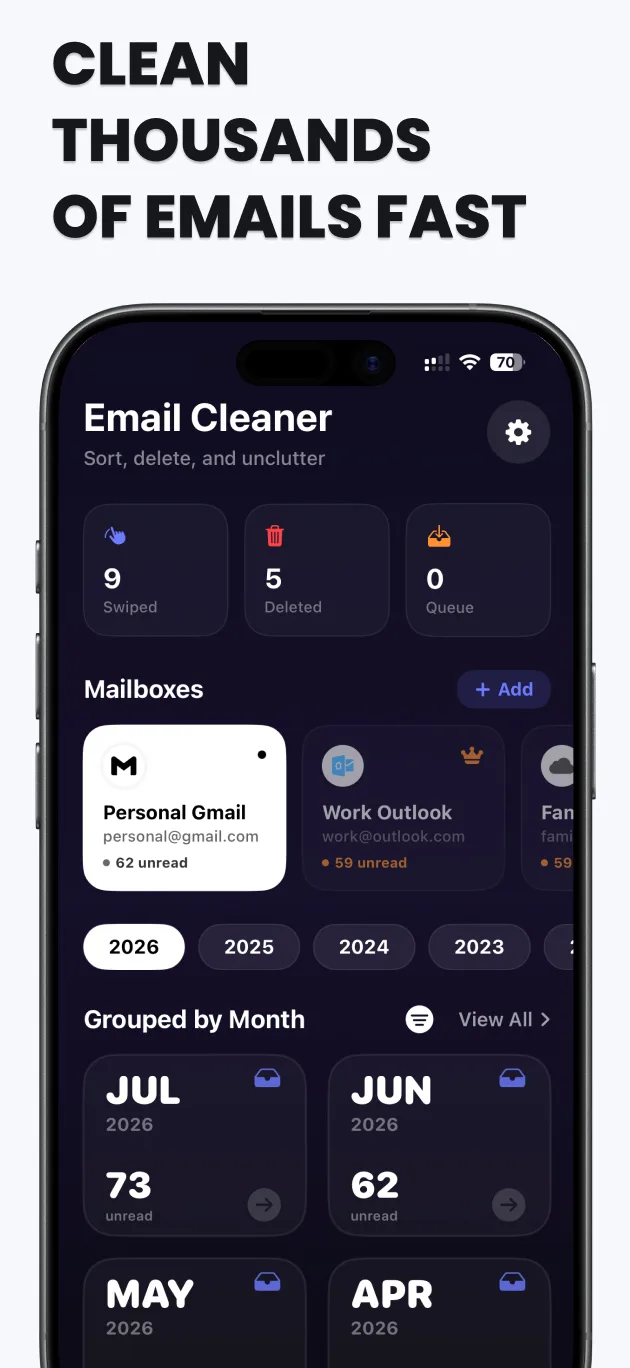
Swipe Email Cleaner — Reach Inbox Zero & Unsubscribe from Spam in Seconds
Are you drowning in unread emails, endless spam newsletters, and promotional clutter? Do you have thousands of unread notifications badging your Mail app icon? Over 80% of emails in the average inbox are automated alerts and cold marketing pitches that you never opened.
Swipe Email Cleaner is the fastest, most satisfying, and most intuitive way to achieve Inbox Zero, reclaim your digital peace of mind, and free up gigabytes of valuable Google Drive and iCloud storage space.
1. The Addictive Swipe-to-Clean Interface
We’ve transformed the tedious chore of email management into a seamless, game-like experience:
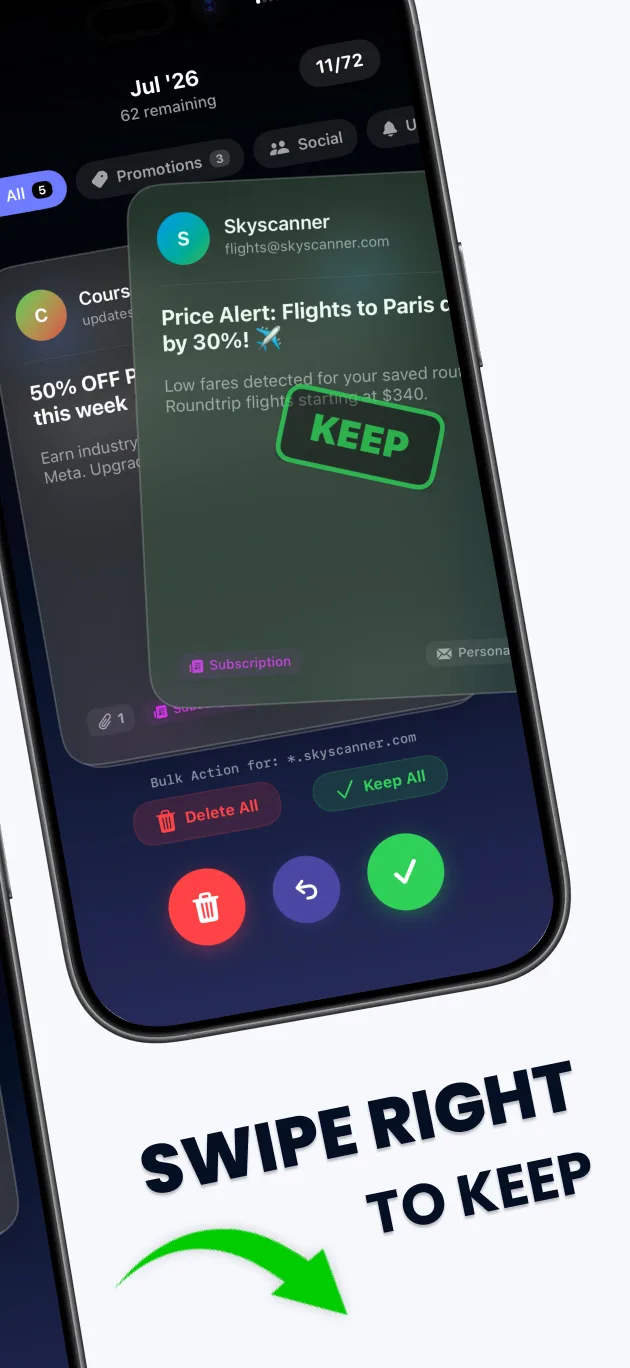
- Swipe Right to Keep: Save an important work email or personal message instantly.
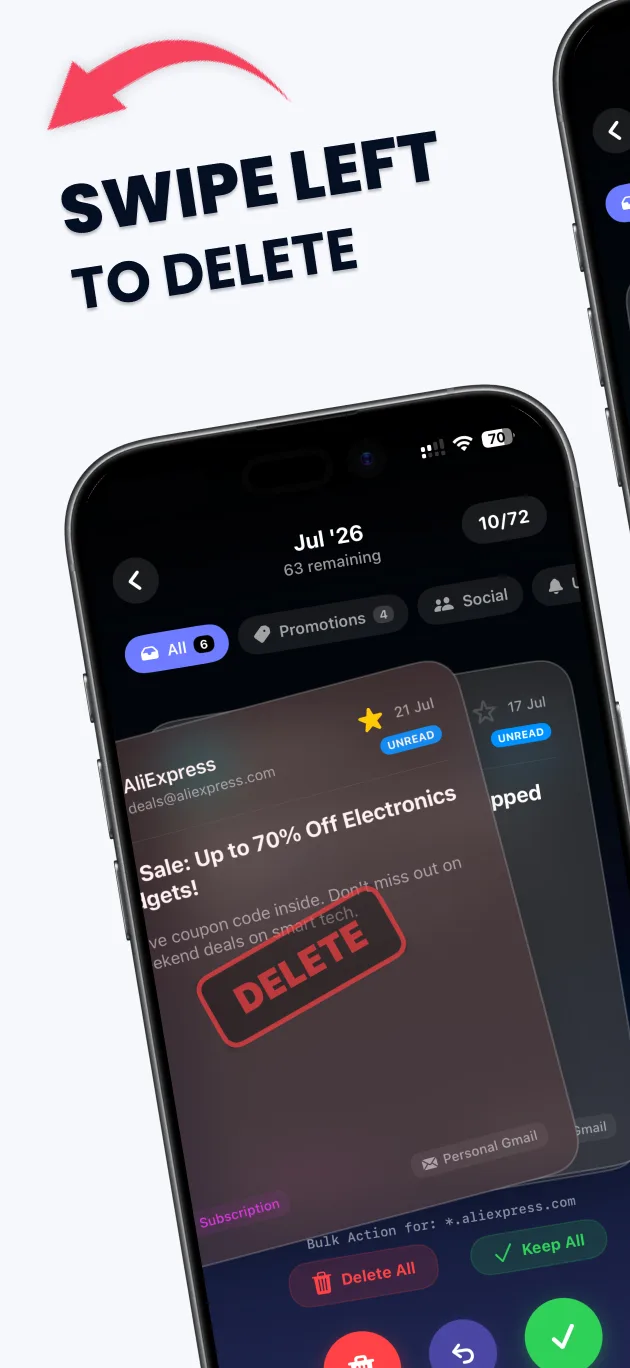
- Swipe Left to Trash: Discard spam, outdated receipts, and promotional clutter directly into the trash bin.
- Fast Stack Review: Your emails are presented as a sleek deck of cards. You can burn through 100 emails in less than 30 seconds without ever opening a message or digging through sub-menus.
2. Smart One-Tap Mass Unsubscribe
Stop spam at its source before it even reaches your inbox.
- Automated Newsletter Detection: The app intelligently scans your incoming mail and compiles a list of every active newsletter and marketing subscription associated with your email address.
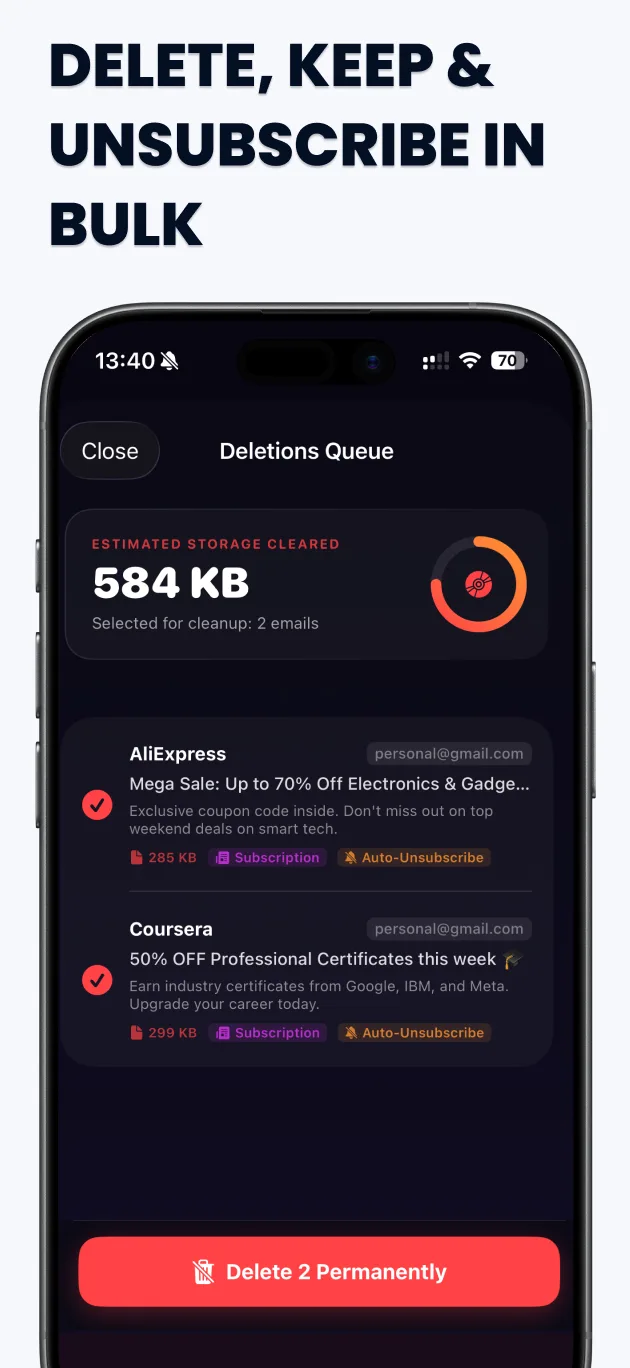
- One-Tap Unsubscribe: Instantly remove yourself from stubborn mailing lists with a single tap. We send the opt-out requests for you in the background.
- Block Repeat Offenders: Silence noisy senders completely by blocking their domain, ensuring their emails bypass your inbox permanently.
3. Sender & Domain Bundling
Why delete 50 emails individually when you can delete them all at once?
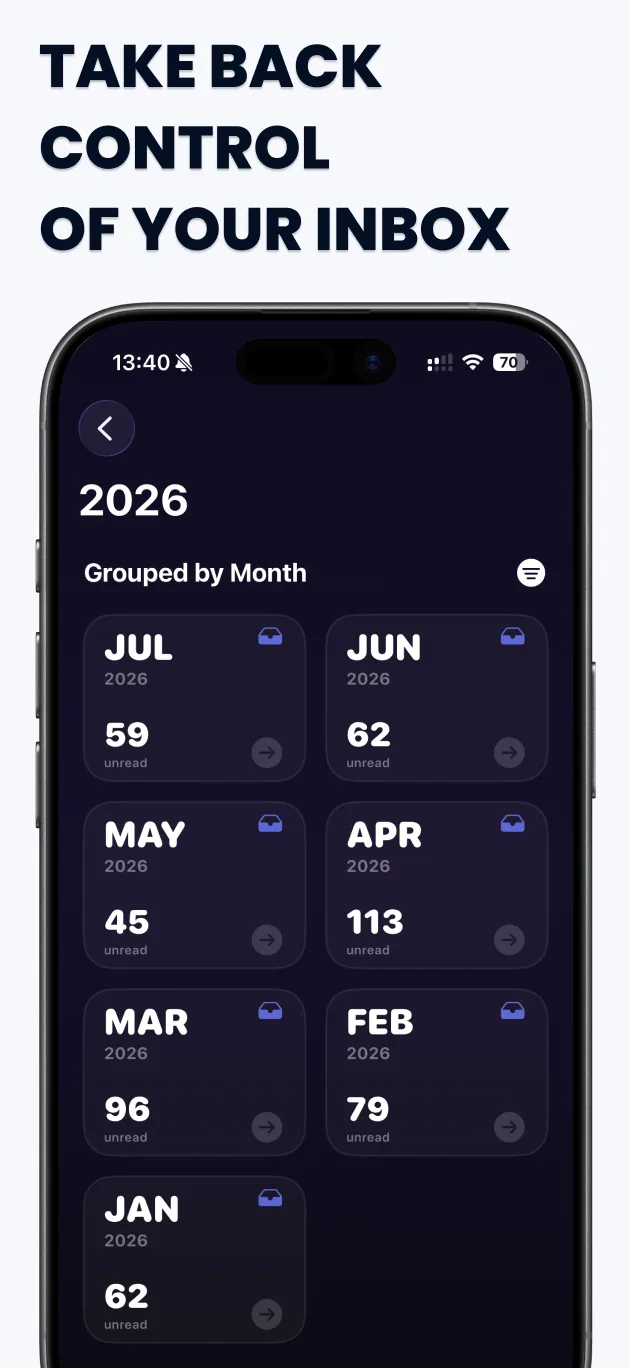
- Group by Sender: The app automatically bundles all emails from the same company or sender into a single stack. Swipe left once to delete 50 emails from that sender instantly.
- Domain Grouping: Filter and sort your inbox by domain (e.g., all emails from @facebook.com) to perform massive cleanups in record time.
4. Reclaim Gigabytes of Cloud Storage
Emails aren't just annoying—they take up expensive cloud storage space.
- Large Attachment Finder: Sort your inbox by file size to instantly locate old emails containing massive PDFs, hi-res photos, or video attachments.
- Cloud Storage Savings: Trashing thousands of heavy email attachments can free up gigabytes of valuable Google Drive (Gmail) and iCloud storage, saving you from costly monthly upgrades.
5. Universal Multi-Account Support
Manage your entire digital life from a single, unified interface:
- Seamless Integration: Connect and organize your Gmail, Microsoft Outlook, Hotmail, Yahoo Mail, iCloud Mail, Fastmail, and custom IMAP accounts simultaneously.
- Unified Inbox: Clean personal and work accounts without switching apps.
6. Bank-Grade Privacy & Security Protocol
Your email contains your most sensitive personal and financial data. We take your security seriously.
- Official OAuth2 Authentication: You log in directly through Google, Microsoft, or Apple's official secure portals. We never see, touch, or store your passwords.
- No External Storage: Your email contents are processed locally and securely. We do not read, analyze, or sell your data to third-party ad networks.
Take absolute control of your inbox today, eliminate digital clutter, and experience the relief of Inbox Zero with Swipe Email Cleaner!
Key Features
- Intuitive swipe card interface to quickly sort incoming and unread emails.
- One-tap mass unsubscribe from annoying mailing lists and spam senders.
- Smart sender bundling to delete 50+ emails from the same source at once.
- Multi-account support for Gmail, Outlook, iCloud, and custom IMAP.
- Bank-grade privacy — your email credentials are never stored.
What's New
- Dramatically improved swipe engine for faster mass-deletion
- Enhanced One-Tap Unsubscribe algorithm for modern newsletters
- Support for advanced IMAP accounts and Yahoo Mail
- Bug fixes and UI performance optimizations
Verified App Store Reviews
Authentic feedback from real iOS users worldwide
From 18,400 unread emails down to Inbox Zero!
"I was drowning in newsletters and marketing promo emails. With the swipe action, I unsubscribed from 85 mailing lists and mass-trashed thousands of old retail emails in 15 minutes. Best email productivity tool on iOS."
Direct 1-tap unsubscribe actually works without landing pages
"It sends direct RFC-compliant unsubscribe requests so you don't have to fill out annoying 'why are you leaving' surveys. Cleaned my Gmail storage quota by 4GB."
Supports multiple IMAP & Gmail accounts seamlessly
"I connected both my personal iCloud and work Google Workspace accounts. The sender grouping view lets you purge entire newsletters in bulk. Essential app."
Frequently Asked Questions


Guides & Tutorials for Swipe Email Cleaner
View all 24 guidesPrivacy & Terms of Service
FlashSoft ensures end-to-end data security and compliance for Swipe Email Cleaner.